Billing & Reports
Billing
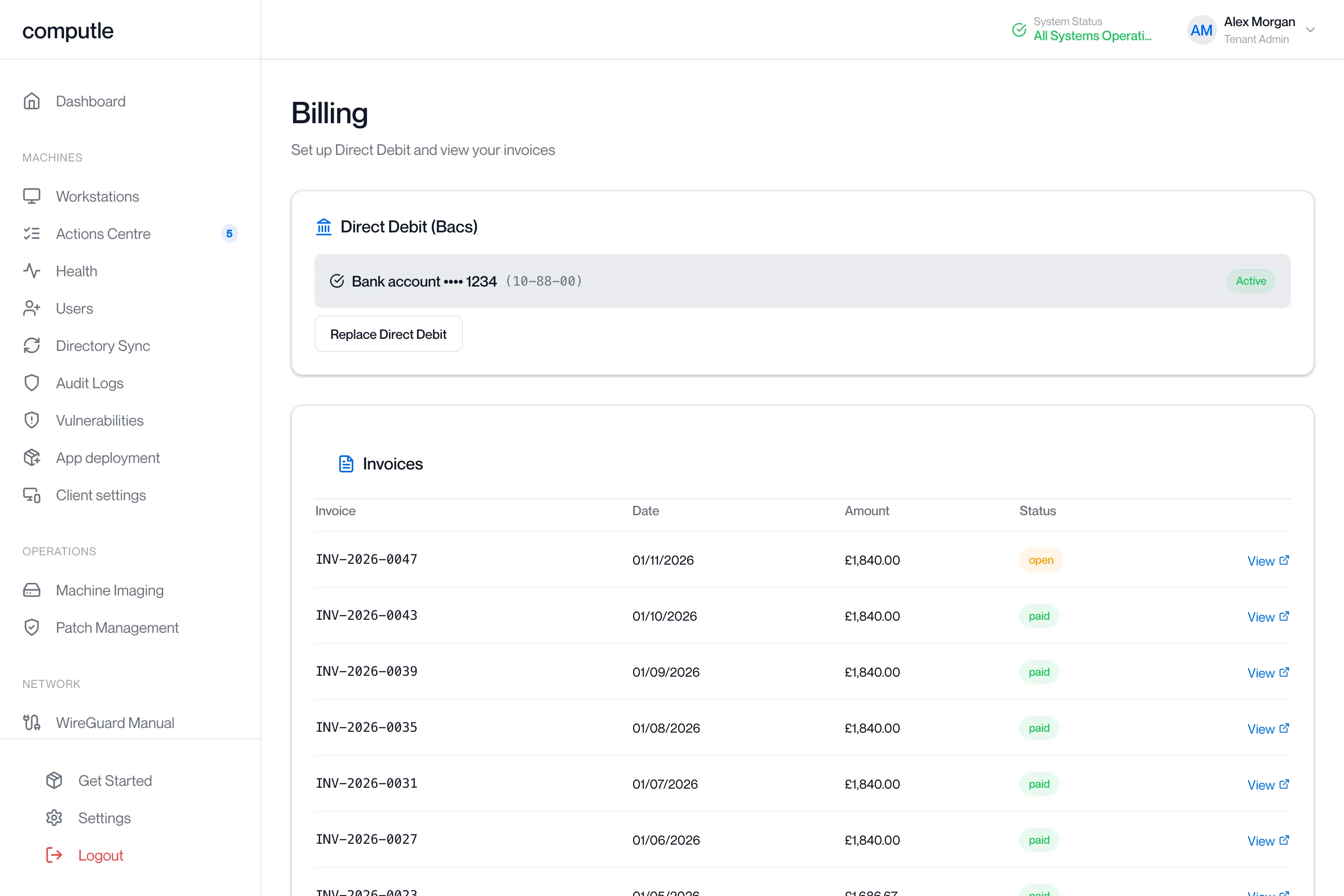
The Billing page is where your organisation sets up the Direct Debit that collects Computle invoices, and where you view and open each invoice.
Open Billing in the portal sidebar. The page needs the Billing Admin role, which a Tenant Admin grants on the Users page. Tenant Admins do not see Billing unless they also hold Billing Admin, so an outsourced IT team can run the portal without seeing your invoices.
Before billing is set up
Section titled “Before billing is set up”If Computle has not yet linked your organisation to a billing account, the page shows:
Billing has not been set up for your organisation yet. Please contact Computle to enable it.
Contact your account manager. Nothing on the page works until this is done.
Direct Debit
Section titled “Direct Debit”The first card is headed Direct Debit (Bacs) for organisations billed in the UK, or Bank account (ACH) for organisations billed in the US.
| What you see | What it means |
|---|---|
| “No Direct Debit set up yet. Set one up so invoices are collected automatically.” and a Set up Direct Debit button | No mandate is on file. Invoices are not collected automatically. |
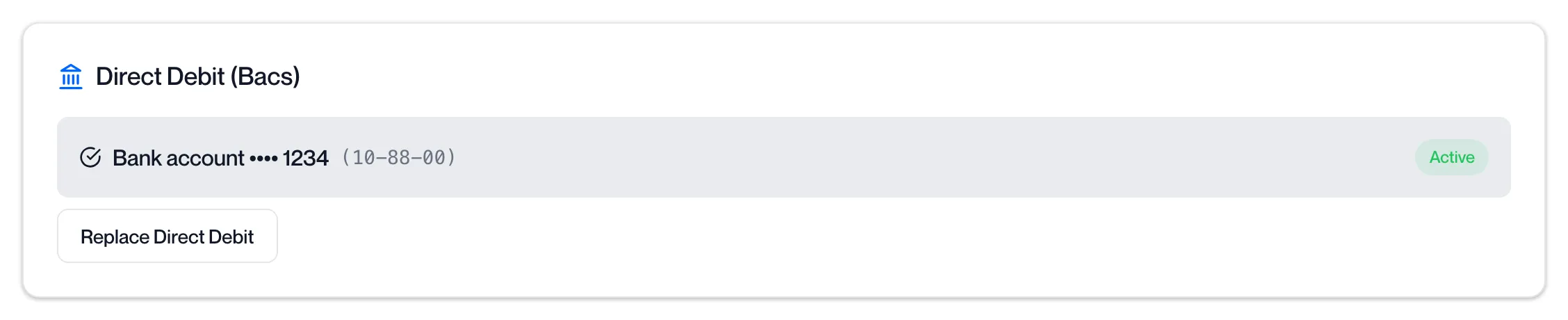
| The bank name (or “Bank account”), the last four digits of the account, the sort code (UK) and an Active badge | A mandate is on file and future invoices are collected from this account. |
| Replace Direct Debit | Shown once a mandate exists. Starts the same set-up as below for a new account. |
Set up a Direct Debit
Section titled “Set up a Direct Debit”-
Click Set up Direct Debit.
The portal opens a secure page hosted by Stripe, Computle’s payment provider. The page asks for the bank details and the mandate authorisation for your scheme (Bacs in the UK, ACH in the US).
-
Enter the bank details and confirm the mandate.
-
Return to the portal.
Stripe sends you back to Billing. The portal shows “Direct Debit set up — it may take a moment to appear.” Refresh the page if the Active badge is not there yet.
If you close the Stripe page without finishing, the portal shows “Direct Debit setup was cancelled.” and nothing changes.
Stripe confirms the mandate by email within a few days of set-up.
| Message | What to do |
|---|---|
| “Could not start Direct Debit setup” | Try again. If it repeats, contact your account manager. |
Bank details and the Direct Debit mandate are held by Stripe. Computle never stores them; the note at the bottom of the page says the same.
Replace the Direct Debit
Section titled “Replace the Direct Debit”Use this when the account the invoices are collected from changes.
-
Click Replace Direct Debit on the Direct Debit card.
The button is shown once a mandate is on file.
-
Enter the new account’s details on the Stripe page and confirm the mandate.
-
Return to the portal.
The portal shows “Direct Debit set up — it may take a moment to appear.” The new account is used for invoices raised from now on. The previous mandate stays listed; contact your account manager if you want it cancelled.
Invoices
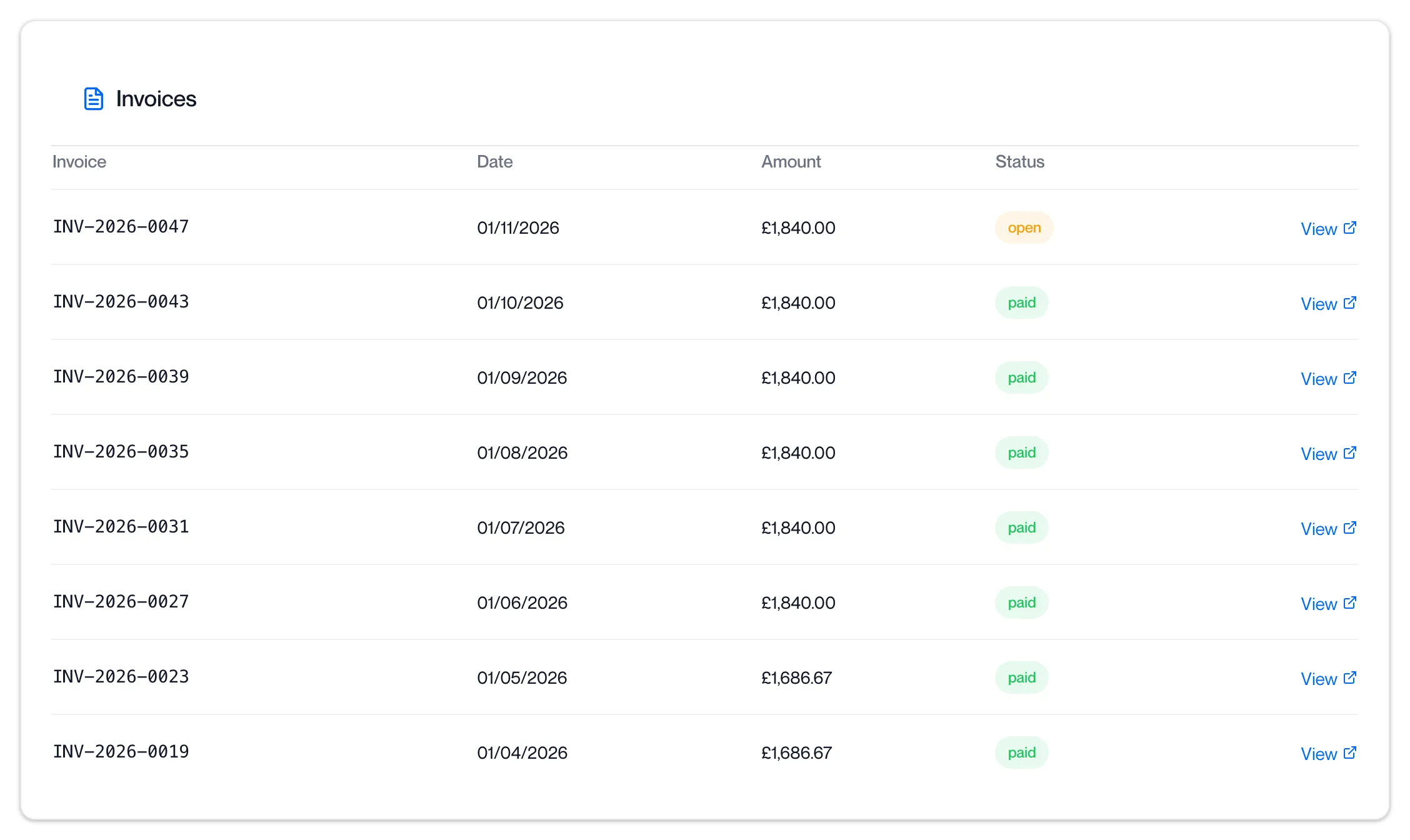
Section titled “Invoices”The Invoices table lists the 24 most recent invoices, newest first.
| Column | What it shows |
|---|---|
| Invoice | The invoice number. |
| Date | The date the invoice was raised. |
| Amount | The amount due, in the invoice currency. |
| Status | See below. |
| View | Opens the invoice on Stripe’s hosted invoice page in a new tab, where you can download the PDF. |
| Status | Colour | What it means |
|---|---|---|
| paid | Green | The invoice has been paid. |
| open | Amber | The invoice has been raised and is awaiting collection or payment. |
| void, uncollectible | Red | The invoice was cancelled, or could not be collected. Contact your account manager. |
| Any other status | Blue | A draft or intermediate state. |
“No invoices yet.” means none have been raised for your organisation.
Open and download an invoice
Section titled “Open and download an invoice”-
Find the invoice in the Invoices table and click View on its row.
Stripe’s hosted invoice page opens in a new browser tab. The portal stays open behind it.
-
Download the PDF from the Stripe page.
The page shows the invoice with its download and, for an open invoice, the payment status. Save the PDF from there.
-
Close the tab to return to the portal.
An invoice with no View link has no hosted page yet. Check again later, or contact your account manager.
Related pages
Section titled “Related pages”Questions
Section titled “Questions”I am a Tenant Admin. Why can I not see Billing?
Section titled “I am a Tenant Admin. Why can I not see Billing?”Billing is kept apart from administration. Only accounts with the Billing Admin role can open it. A Tenant Admin grants the role in Manage Roles on the Users page to the person who handles invoices.
I hold both Tenant Admin and Billing Admin. Where is the Billing link?
Section titled “I hold both Tenant Admin and Billing Admin. Where is the Billing link?”The administrator sidebar does not show Billing. Open /billing in the portal directly.
Can I pay an invoice by card or bank transfer?
Section titled “Can I pay an invoice by card or bank transfer?”The Billing page collects invoices by Direct Debit only. For any other arrangement, contact your account manager.
How do I change the account the Direct Debit is collected from?
Section titled “How do I change the account the Direct Debit is collected from?”Click Replace Direct Debit and complete the set-up with the new account.
Can I have more than one Direct Debit?
Section titled “Can I have more than one Direct Debit?”The page lists every mandate on file, each with its own Active badge.