Sign-In and Machine List Messages
Sign-In Messages: The Machine List
These messages appear on the machine list after you sign in and before you click Connect.
Looking for your machine
Section titled “Looking for your machine”What you see
“Looking for your machine. One moment.”
What it means
Remotle is asking Computle which workstations are assigned to you. This appears for a moment after sign-in.
What to do
Wait. If it does not change, see the next two entries.
Please ask your administrator to assign you a machine
Section titled “Please ask your administrator to assign you a machine”What you see
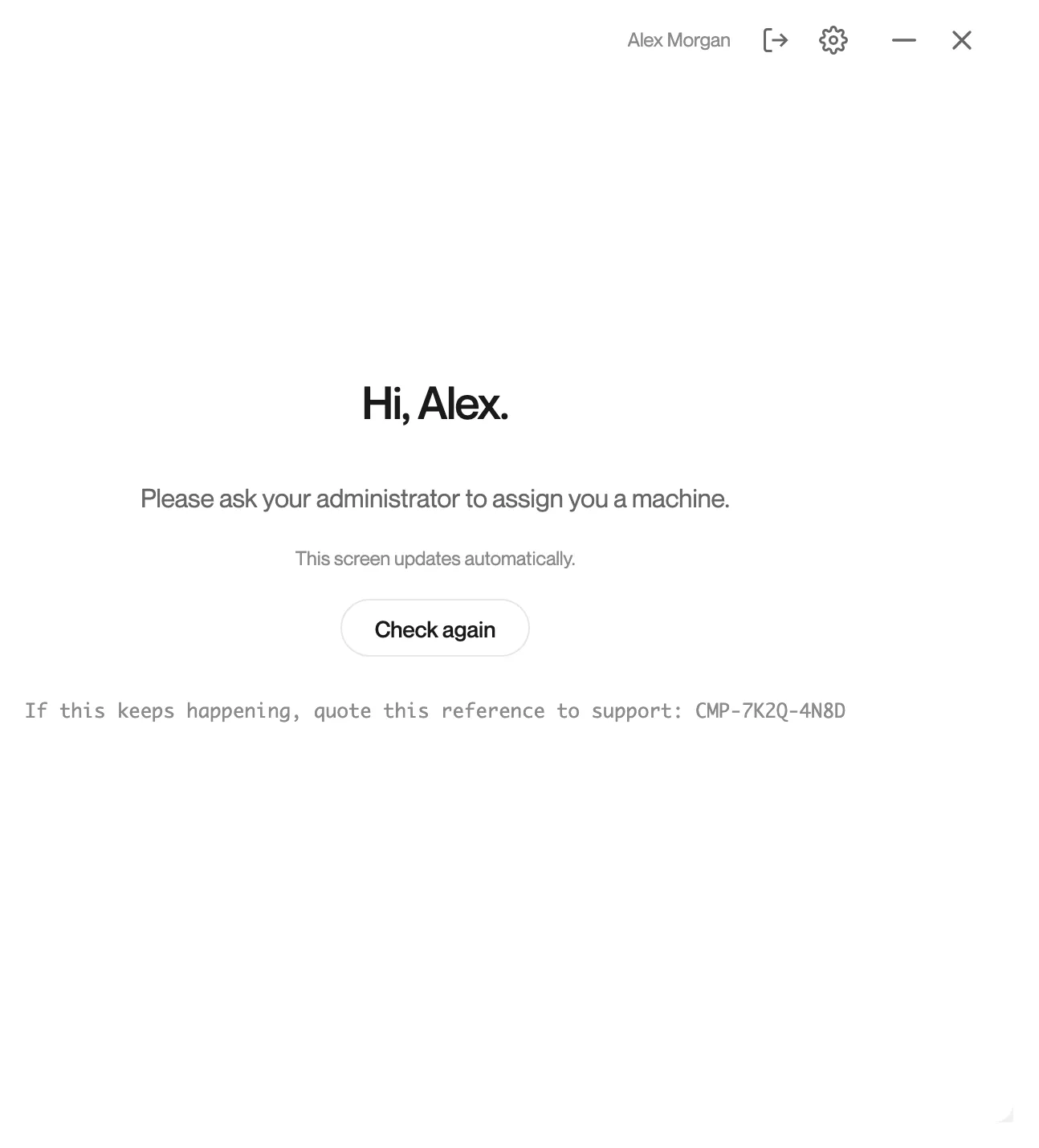
“Hi, [your name]. Please ask your administrator to assign you a machine. This screen updates automatically.” with Check again and “If this keeps happening, quote this reference to support: [Support Code]”.
What it means
Computle answered, and no workstation is assigned to your account. The screen checks again by itself and shows the workstation as soon as it is assigned.
What to do
- Ask your administrator to assign a workstation to you. See Assigning Workstations.
- Leave the screen open, or click Check again once they confirm.
- If a workstation was assigned and still does not appear, quote the Support Code shown to Computle support.
Couldn’t check your machines
Section titled “Couldn’t check your machines”What you see
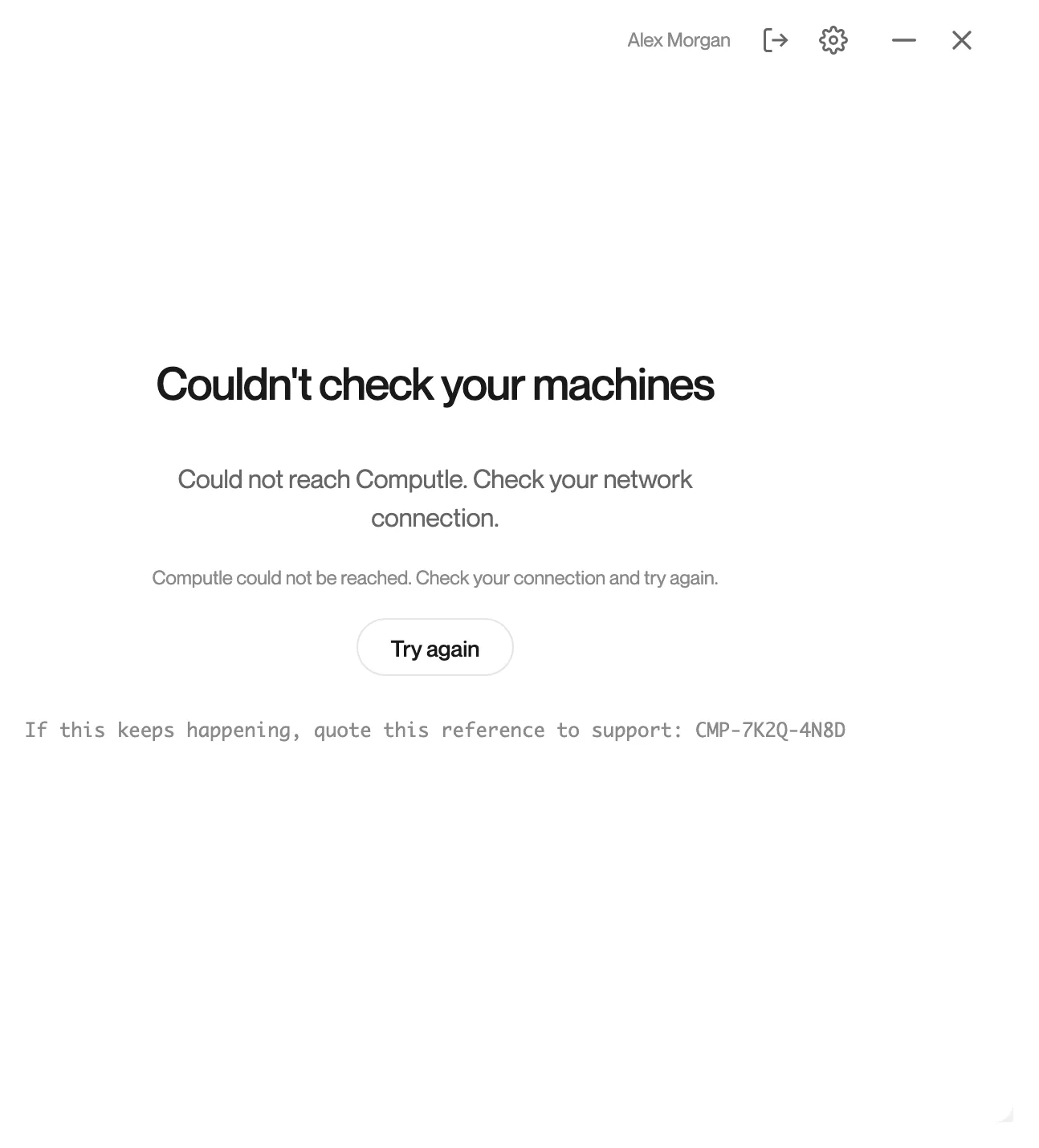
“Couldn’t check your machines. Computle could not be reached. Check your connection and try again.” with Try again and “If this keeps happening, quote this reference to support: [Support Code]”.
What it means
Remotle could not ask Computle for your workstations. This is different from having none: your assignments are unchanged.
What to do
- Check this device’s internet connection.
- Click Try again.
- If it continues, open Settings, Diagnostics and click Run Test. The Machine assignments row under Services shows whether this device can reach the service. See Diagnostics.
This device’s network connection is unstable
Section titled “This device’s network connection is unstable”What you see
A banner at the top of the machine list: “This device’s network connection is unstable. Connecting may fail until it recovers.”

What it means
Remotle’s own checks of this device’s connection are failing some of the time. You can still try to connect.
What to do
- Move closer to the Wi-Fi access point, or use a cable.
- Wait for the banner to clear before you connect. It clears by itself.
This device is offline
Section titled “This device is offline”What you see
A banner at the top of the machine list: “This device is offline. Connect it to the internet to use Remotle.”

What it means
This device has no working internet connection.
What to do
- Connect this device to the internet. The banner clears by itself.