Third-party applications
Twinmotion crashes when exporting high-resolution renders
What you see
- Twinmotion closes while exporting a high-resolution render.
- Twinmotion’s crash log shows “GPU Crash Detected” or “GPU crash dump triggered”.
Seen on Twinmotion 2025.1.1 and later.
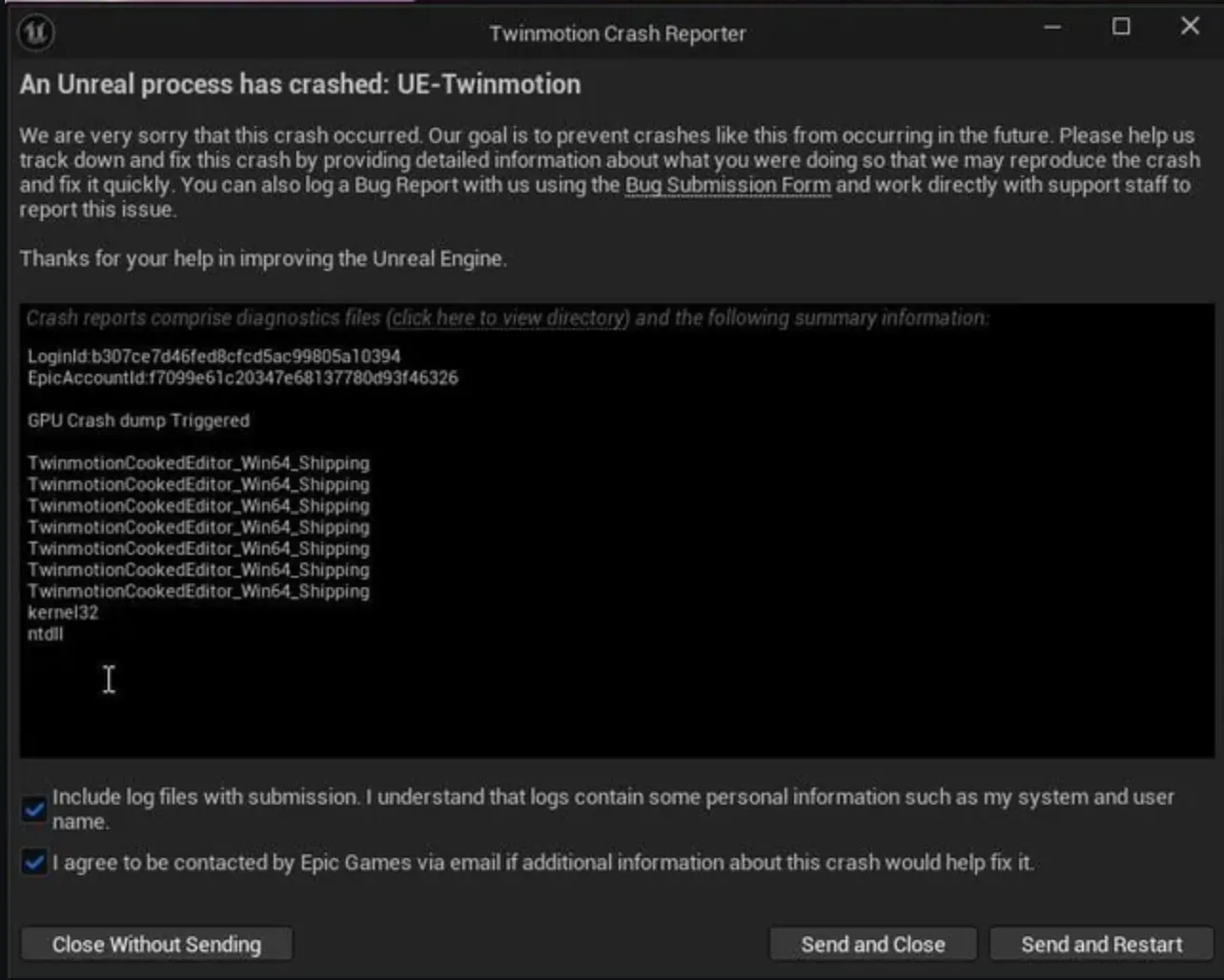
What it means
Windows Timeout Detection and Recovery (TDR) resets the graphics driver when it does not respond within 2 seconds. A long, high-resolution export can hold the GPU for longer than that, so Windows resets the driver and Twinmotion loses the GPU.
What to do
Raise the timeout to 60 seconds, the value Epic Games recommends.
-
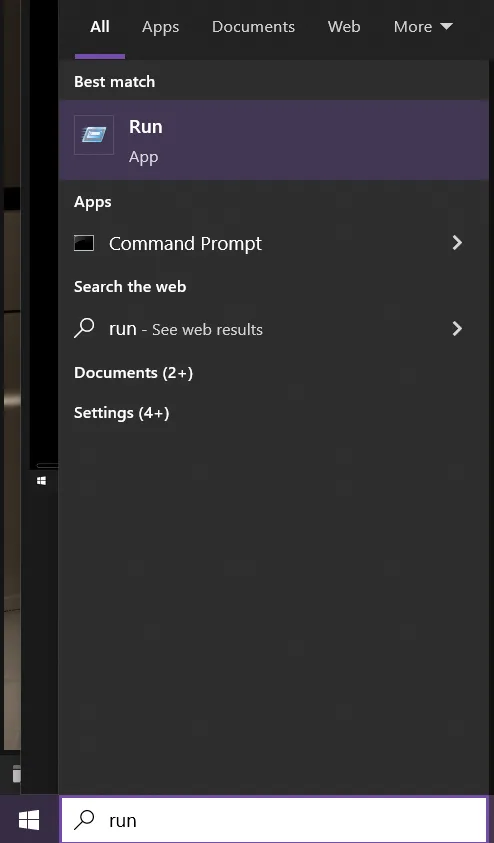
Open Run.
Press Windows + R, or search for “run” in the Start menu.
-
Type
regeditand click OK.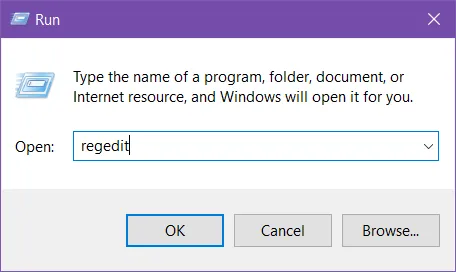
-
Go to
HKEY_LOCAL_MACHINE\SYSTEM\CurrentControlSet\Control\GraphicsDrivers.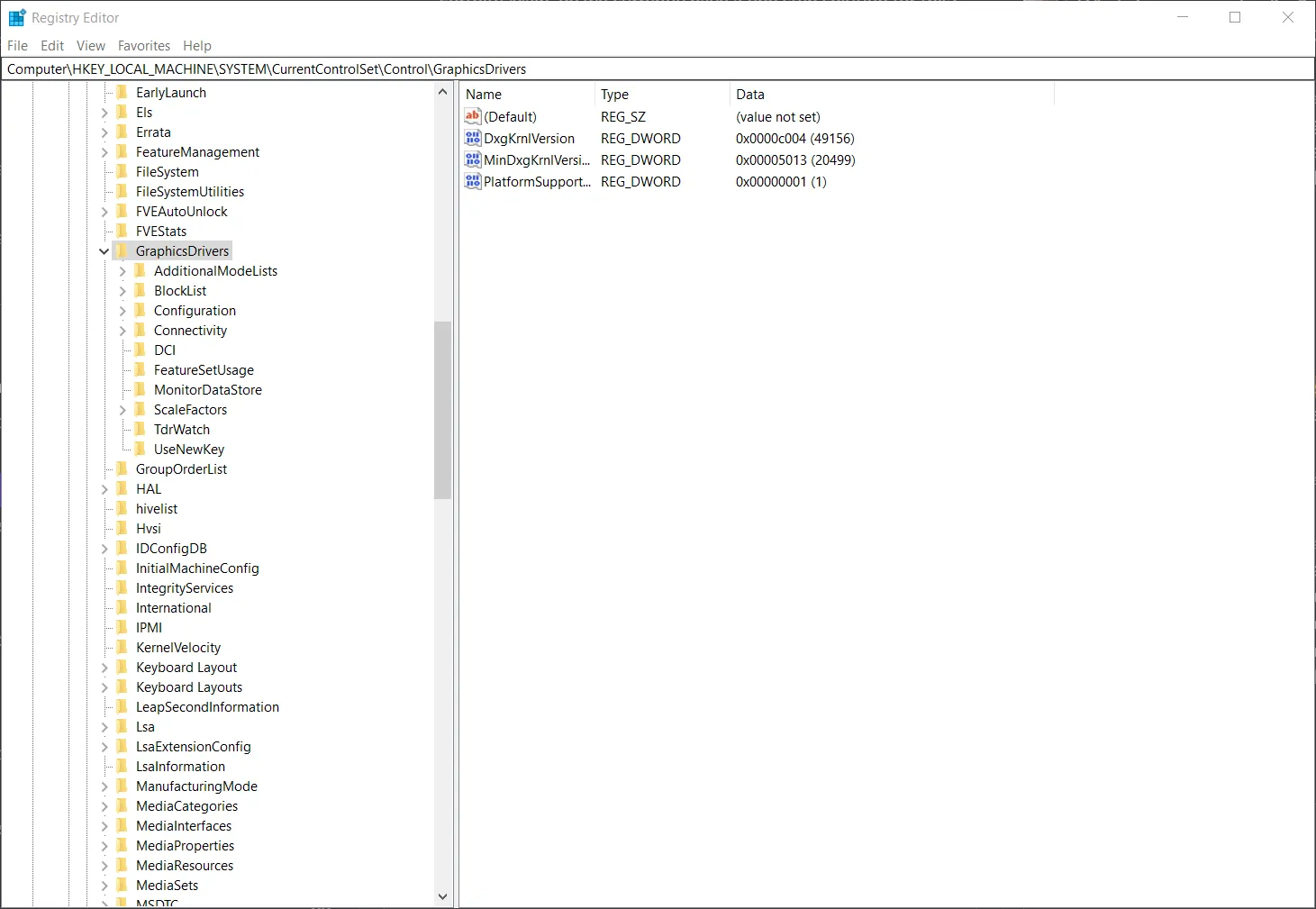
-
Create or edit
TdrDelay.If the value exists, double-click it. If not, right-click the right-hand pane and select New > DWORD (32-bit) Value, and name it
TdrDelay.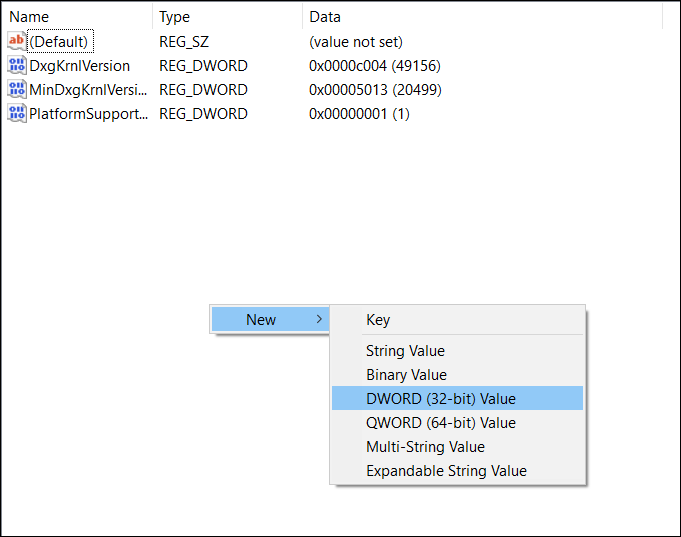
-
Set Base to Decimal and Value data to 60, then click OK.
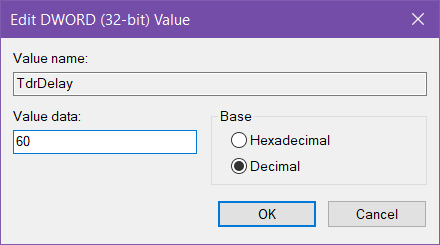
-
Create a second DWORD (32-bit) Value named
TdrDdiDelay, with Base Decimal and Value data 60.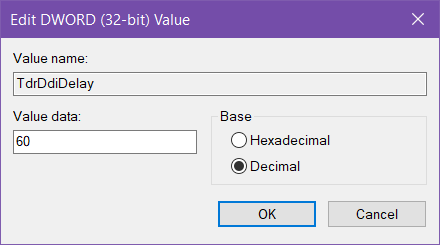
-
Check that both values are present.
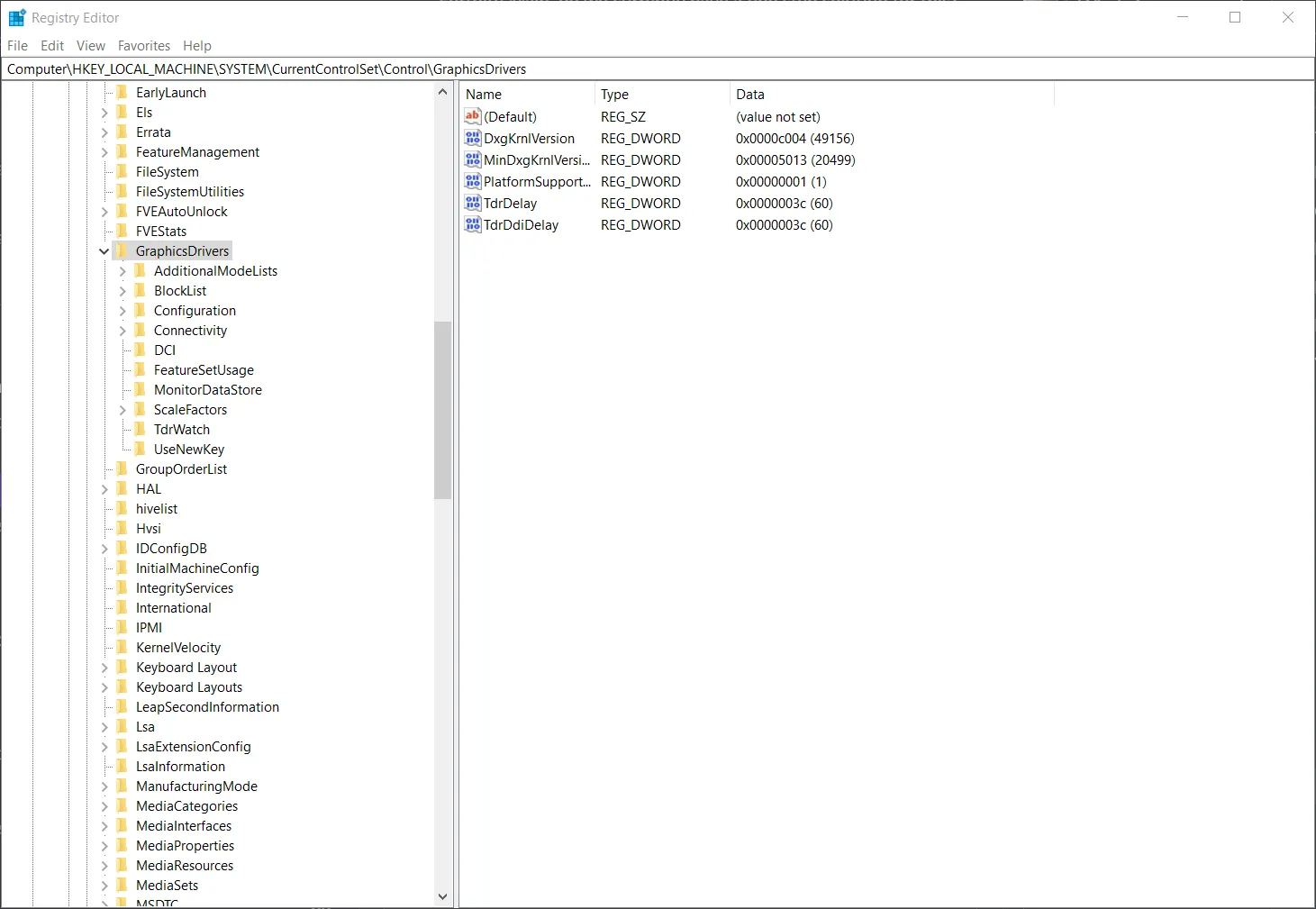
-
Close Registry Editor and restart the workstation.
If this does not resolve it, raise a ticket through the Computle Portal and include the Twinmotion crash log.